Ashish Upadhyay is a Senior Writer at SpotDraft, where he covers AI in contracting, and helps unpack CLM best practices. He has 6+ years of experience writing for B2B SaaS, LegalTech, and Fintech, and previously worked at Gartner.
TL;DR
Contract storage is a compliance and risk issue, not just an IT decision. Contracts contain sensitive data such as pricing, IP, personal information, and regulatory obligations that require legal-grade protection.
Shared drives and basic cloud tools fall short. Tools like Google Drive or SharePoint lack the access controls, audit trails, and defensibility needed for secure contract storage.
Security starts with strong foundations. Encryption, role-based access control, MFA, and reliable backup and disaster recovery are non-negotiable for protecting contract data.
Compliance depends on where and how contracts are stored. Data residency, privacy laws, legal hold, and document retention policy requirements must be enforced at the storage level.
Findability matters as much as security. Metadata-driven repositories, OCR, and a single source of truth reduce operational risk and improve audits, reporting, and obligation tracking.
CIOs and GCs who invest in secure contract storage protect the business. The right approach reduces breach risk, strengthens audit readiness, and safeguards the organization’s legal and commercial position.
Storage must support the full contract lifecycle. Secure collaboration, controlled integrations, and defensible retention and deletion are essential beyond simple document storage.
Contracts hold some of the most sensitive data in any organization. They contain pricing models, intellectual property ownership, customer and employee information, trade secrets, and critical regulatory obligations. If this data is exposed, altered, or lost, the impact is not just legal, it’s financial and reputational.
The way organizations store contracts has changed rapidly. Teams moved from filing cabinets to shared drives, then to cloud folders like Google Drive or SharePoint. Today, many are shifting again toward compliance-grade CLM platforms built specifically for legal data. This shift is happening for a reason.
“Think about how many contracts sit on someone’s laptop or in multiple databases and then think about the value of contract management. The importance of simply being able to locate all of the company’s contracts and relevant amendments in one place without significant effort cannot be minimized.”
According to IBM’s Cost of a Data Breach Report, the global average cost of a data breach reached USD 4.4 million, with breaches involving sensitive documents and intellectual property among the most expensive to remediate
Traditional storage tools were designed for collaboration, not for legal risk management. Shared drives lack strong access controls, clear audit trails, legal hold enforcement, and data residency governance. They make it difficult to prove who accessed a contract, when it was changed, or whether it was altered after execution.
That’s why contract storage is no longer just about where documents live. It’s about security, compliance, and defensibility. For CIOs, General Counsels, and Risk Managers, secure contract storage is now a core part of enterprise risk strategy, not an IT afterthought.
Key Takeaways
Contract storage is a compliance and risk issue, not just an IT decision. Contracts contain sensitive data such as pricing, IP, personal information, and regulatory obligations that require legal-grade protection.
Shared drives and basic cloud tools fall short. Tools like Google Drive or SharePoint lack the access controls, audit trails, and defensibility needed for secure contract storage.
Security starts with strong foundations. Encryption, role-based access control, MFA, and reliable backup and disaster recovery are non-negotiable for protecting contract data.
Compliance depends on where and how contracts are stored. Data residency, privacy laws, legal hold, and document retention policy requirements must be enforced at the storage level.
Findability matters as much as security. Metadata-driven repositories, OCR, and a single source of truth reduce operational risk and improve audits, reporting, and obligation tracking.
CIOs and GCs who invest in secure contract storage protect the business. The right approach reduces breach risk, strengthens audit readiness, and safeguards the organization’s legal and commercial position.
Storage must support the full contract lifecycle. Secure collaboration, controlled integrations, and defensible retention and deletion are essential beyond simple document storage.
Why Is Effective Contract Storage Important?
Effective contract storage is important for maintaining legal compliance. Businesses must comply with a wide range of legal regulations and requirements that dictate how long certain types of contracts must be kept on file. For example, some contracts may need to be kept for several years, while others may need to be kept indefinitely.
By having a secure and organized system for contract storage, businesses can ensure they’re meeting all legal obligations and avoid the potential penalties associated with non-compliance.
Additionally, effective contract storage can help businesses mitigate risks associated with contract disputes or litigation. When a contract dispute arises, having access to the relevant contract documents is crucial. Without proper storage, businesses may struggle to locate the necessary documents, leading to delayed or unsuccessful resolution of the dispute.
All in all, an effective contract storage system allows businesses to easily access and manage their contracts, maintain legal compliance, and mitigate risks associated with contract disputes or litigation. By investing in a secure and organized contract storage software, businesses can save time, reduce costs, and ensure long-term success.
The Security Triad for Contract Storage (The Non-Negotiables)
Secure contract storage rests on three pillars. If even one is weak, legal data is exposed to risk. For CIOs, General Counsels, and Risk Managers, these controls are not optional—they are baseline requirements.
Encryption: Protecting Data at Rest and in Transit
Encryption protects contracts from unauthorized access, even if systems are breached. At a minimum, contract storage must use AES-256 encryption for data at rest and TLS for data in transit. These standards protect sensitive legal documents during storage and when they move between systems.
Encryption alone is not enough. Encryption keys must be properly managed, rotated, and restricted. Poor key management can undermine even strong encryption. Modern zero-trust security models treat every access request as untrusted by default, which is especially important for contract data that includes IP, pricing, and regulatory obligations.
Access Control: The Foundation of Confidential Storage
Not everyone should see every contract. Strong access control ensures only the right people have access to the right documents.
Most enterprises use Role-Based Access Control (RBAC), where access depends on job role. More advanced systems use Attribute-Based Access Control (ABAC), which considers factors like deal type, region, contract value, or risk level.
Fine-grained permissions matter. For example, M&A agreements, board minutes, or CEO contracts should be restricted to a very small group. Multi-factor authentication (MFA) and single sign-on (SSO) are essential to prevent account misuse. Uncontrolled link-sharing, common in shared drives, is one of the biggest security gaps in contract storage.
Redundancy & Disaster Recovery
Contracts must be available even during system failures. Secure storage requires regular backups, off-site replication, and clearly defined RPO (Recovery Point Objective) and RTO (Recovery Time Objective) targets.
If a critical contract is lost, corrupted, or unavailable during a dispute, audit, or legal hold, the risk is immediate and severe. That’s why CIOs audit not just the storage platform, but also backup providers and disaster recovery processes.
Strong redundancy ensures contracts remain secure, accessible, and defensible, no matter what goes wrong.
4 Tips to Store Your Contracts Effectively Without a CLM Software
Storing contracts without a CLM software can lead to inefficient organization of contracts. With files on the cloud, version control can be an issue.
"A major problem in contract management is version control - different departments using dated contract templates. When the system is opaque, the legal department might not have clear visibility into which versions operations and sales teams might use. This is why having a CLM in place is much needed.”
A naming convention provides a consistent and structured way to name and organize contract documents, making it easier to locate and access them when needed.
Your contract name should:
Be descriptive to provide a clear indication of the contents of the document
Have a standardized format to ensure that documents are easy to locate and eliminate confusion
Include key information such as the date, parties involved, and the contract type to quickly identify the document and provide context for the reader
Here is an example of a naming convention that incorporates these considerations.
#2 Develop a detailed index
An index is a list of contract documents with key information that allows the user to easily locate the desired contract. With a well-organized index, in-house counsels can save time and reduce errors in the contract management process.
Here are some considerations while developing a detailed index.
Determine what information to include, such as contract name, parties involved, date of the contract, contract type, and any other relevant information
Use an electronic spreadsheet with a table of contents
Establish a standardized format for the index that can be consistently applied to all documents. This helps to ensure that documents are easy to locate and eliminates confusion
Organize the index logically, in alphabetical order, by contract name, or by date
As new contracts are added or changes are made to existing contracts, be sure to update the index to ensure that it remains current
#3 Ensure secure storage and implement access controls
Contracts contain sensitive information that needs to be protected from unauthorized access. Make sure that documents are stored in secure drives or cloud storage options.
Store your contract documents in a secure location that has restricted access. Be sure to limit access to only those who have a legitimate need to view or handle the documents.
In case of unforeseen circumstances such as theft, fire, or flood, ensure that your contract documents are backed up in a secure location and that there is a disaster recovery plan in place to quickly restore access to the documents
Consider using document encryption to prevent unauthorized access to the documents. Encryption can help ensure the confidentiality of sensitive information
Establish a retention policy for contracts that outlines how long contracts should be stored and when they can be destroyed. This can help to prevent unauthorized access to expired contracts
#4 Regularly review and update storage practices
Regularly reviewing storage practices and updating them as needed ensures that the documents are easily accessible and that the storage system continues to meet the organization's needs.
Set up a schedule for regular reviews of your storage practices. The frequency of these reviews will depend on the volume and complexity of your contract documents and the size of your organization
When reviewing storage practices, evaluate their effectiveness in meeting the organization's needs. This may include assessing accessibility, security, ease of use, and compliance with regulatory requirements
Based on the results of your review, update your policies and procedures for contract storage as needed. Ensure that all personnel are aware of any changes made to storage practices and are trained on new procedures as necessary
Monitor contract storage practices regularly to ensure that they are being followed and to identify any areas that need improvement. This may include reviewing access logs, monitoring physical storage areas, or conducting regular audits
Regularly evaluate and implement new technologies and tools that can help improve contract storage practices, such as electronic document management systems, cloud-based storage, and encryption software
Despite these storage and security best practices, storing contracts without a CLM software can be time-consuming, inefficient, and error-prone. In-house counsels need to consider investing in a CLM software that can streamline contract storage and management processes.
Your legal teams can overcome effort-intensive manual processes through our automated contract storage solutions. It helps mitigate risks and improves the ROI. At the same time, sales teams can expedite the process of getting contracts signed and kickstarting the deal.
5 Tips to Store Your Contracts Effectively on a CLM Software
Organizing contracts on CLM is much easier and secure. However, there are still some best practices you must follow to quickly locate and retrieve them.
#1 Organize by contract type
Create folders for each contract type, such as employment contracts, lease agreements, and vendor agreements. This makes it easier to find the right document quickly and efficiently.
Start by identifying the most common types of contracts used by your organization. This may include employment contracts, non-disclosure agreements, sales contracts, and purchase agreements
Once you have identified the common contract types, create categories in your CLM system to store these contracts. For example, you could create a category for employment contracts, another for non-disclosure agreements, and so on
When you add a new contract to your CLM system, assign the appropriate contract type to it. This will ensure that the contract is stored in the correct category and is easily searchable
Develop a naming convention for your contracts that includes the contract type. This will make it easier to search for contracts by type and help to avoid confusion when multiple contract types share similar names
Regularly review and update your contract type categories to ensure that they remain relevant and reflect changes in your organization's contract usage
#2 Include relevant metadata
Metadata is additional information about a document, such as the date it was signed, the parties involved, and the expiration date. This makes it easier to search for and retrieve specific contracts when needed.
Our in-house legal experts suggest the following relevant metadata details to look for. And our CLM software, SpotDraft, automatically extracts them from your contracts, making it much easier for you to manage and locate them when you desire.
Start by identifying the key metadata elements that are relevant to your organization's contract management needs. This may include the contract type, date, expiration date, contract value, parties involved, and other important details
Once you have identified the key metadata elements, develop a metadata schema that specifies the required fields for each type of contract. For example, an employment contract may require fields for employee name, start date, salary, and job title, while a non-disclosure agreement may require fields for parties involved, duration, and purpose
It is important to ensure that metadata is consistent across all contracts. You can achieve this by developing consistent naming conventions and data entry standards, and by training personnel on the importance of accurate and consistent data entry
Use the metadata to create powerful search and reporting capabilities in your CLM system. This will enable you to quickly and easily locate and retrieve contracts based on specific metadata elements, such as contract type or expiration date
Regularly review and update the metadata for your contracts to ensure that it remains accurate and relevant. This may involve adding new metadata fields or revising existing fields based on changes in your organization's contract management needs.
#3 Create a backup plan
Always have a backup of your contract storage system in case of data loss or system failure. Consider creating a physical backup on a hard drive or external storage device.
Decide how often you want to back up your contracts. The frequency of backups will depend on the volume of contracts, level of criticality of the contracts, and cost of potential loss
Decide where you want to store the backups. Ideally, you should store backups in a different physical location to minimize the risk of data loss due to natural disasters or other unforeseen events
Use automated backup tools to simplify the backup process and reduce the risk of human error. Most CLM systems have built-in backup features that can be scheduled to run automatically
Regularly test the backups to ensure that they can be restored in the event of data loss. This will help you to identify any issues or errors with the backup process before a crisis occurs
Establish protocols for who is responsible for performing backups, how often backups should be tested, and how backups should be stored and secured
Use encryption and access controls to protect the backups from unauthorized access. This will help to ensure the confidentiality and integrity of the contract data.
In addition to regular backups, have a disaster recovery plan in place to guide your response in the event of data loss. This plan should include procedures for restoring backups, recovering lost data, and resuming normal business operations.
#4 Set up access controls and passwords
Protect your contracts with appropriate security measures such as passwords, encryption, and access controls. Limit access to only authorized personnel and keep a log of who has accessed the documents.
Determine the access levels that are appropriate for your organization. This will depend on the size of your organization, the number of contracts you manage, and the level of risk associated with the data
Define user roles and assign specific permissions to each role. For example, you may have a contract administrator role that has access to all contracts and a contract reviewer role that has limited access
Set up authentication to ensure that users are who they claim to be. This can include usernames and passwords or multi-factor authentication
Use encryption to protect the data during transmission and storage. This will help to ensure the confidentiality and integrity of the contract data
Use audit trails to track user activity and identify any unauthorized access attempts. This will help you to quickly identify any potential security breaches
Provide training to users on access controls and best practices for protecting contract data. This will help to ensure that users are aware of the risks and understand how to use the CLM system securely
Regularly review the access controls to ensure that they are still appropriate for your organization. This may include adding or removing user roles, adjusting permissions, or updating authentication methods
#5 Review and update regularly
Regularly review your contract storage system to ensure that it is up-to-date and accurate. Remove any outdated or unnecessary documents to keep your system streamlined and organized.
Establish a schedule for reviewing your contract storage practices. This could be monthly, quarterly, or annually, depending on the size of your organization and the number of contracts you manage
Evaluate your current contract storage practices and determine if they are still meeting your needs. Look for areas where you can improve, such as organizing contracts by contract type, adding relevant metadata, or setting up access controls
Keep up-to-date with new features and updates in your CLM system. Many CLM systems offer regular updates and new features to improve functionality, security, and usability
If you identify any issues or concerns during your review, address them immediately. This could include updating access controls, adding new metadata fields, or setting up a backup plan
If you add new features or updates to your CLM system, be sure to train your users on how to use them. This will help to ensure that they are aware of the new features and can use them effectively
Continuously look for ways to improve your contract storage practices. This could include implementing new features, such as electronic signatures, or reorganizing your contract database to improve searchability and accessibility.
Secure contract storage is not just a technical issue. It is a compliance requirement. How and where contracts are stored directly affects privacy obligations, regulatory exposure, and legal defensibility.
GDPR & Global Privacy Laws
Many contracts contain personal data, such as names, contact details, employee information, or customer data. Under GDPR and similar global privacy laws, this data must be stored securely and accessed only when necessary.
A major challenge is the “Right to Be Forgotten.” Contracts often cannot be deleted or edited due to legal retention needs. This creates tension between privacy laws and record-keeping obligations. The solution lies in clear document retention policies, access restrictions, and data minimization practices, not ad hoc storage decisions.
Retention schedules must be defined and enforced so contracts are kept only as long as legally required, and no longer.
Data Residency & Cross-Border Transfer Risks
Where contracts are stored matters; regulations like Schrems II place strict limits on transferring EU personal data to non-EU countries. Storing EU contracts on US-based cloud servers can create compliance risk if safeguards are not in place.
Legal teams now look closely at data residency controls, encryption standards, and contractual safeguards with storage vendors. This is especially critical for regulated data under HIPAA, DPDPA 2023, PCI, or SOC 2 requirements.
As a result, organizations increasingly require proof of vendor certifications and ongoing compliance audits before approving any contract storage system.
Audit Trails & Defensibility
In audits, investigations, or litigation, organizations must prove who accessed a contract, when it was accessed, and whether it was changed. This requires detailed, tamper-proof audit trails.
Shared drives typically fail this test. They lack reliable access logs, version history, and defensible controls. Compliance-grade contract storage systems maintain complete logs that support legal holds, regulatory reviews, and dispute resolution.
Without proper auditability, even a well-drafted contract can become a liability.
Organizing for Retrievability (The “Findability” Factor)
Secure contract storage is not useful if teams cannot find the right contract at the right time. Retrievability is a compliance and operational requirement, not just a convenience. Poor findability leads to missed obligations, audit delays, and legal risk.
Folder Structures vs. Metadata-Driven Systems
Traditional folder structures break down as contract volume grows. Different teams name folders differently, save files in the wrong place, or duplicate documents across drives. Over time, no one is sure which version is final.
Metadata-driven systems solve this problem. Instead of relying on folders, contracts are tagged with structured data such as contract type, counterparty, value, jurisdiction, renewal date, and risk level. This improves reporting, obligation tracking, legal hold management, and document retention policy enforcement. Metadata also supports compliance reviews and faster audits.
OCR & Searchability
Many organizations still store scanned contracts or legacy PDFs. Without OCR (Optical Character Recognition), these files are invisible to search tools.
OCR makes contracts fully searchable. Teams can search across clause text, obligations, party names, dates, and contract values. This is critical during audits, litigation, or regulatory requests when legal teams must respond quickly and accurately. Strong searchability reduces manual review time and lowers compliance risk.
Centralized Repository vs. Distributed Storage
When contracts live across email inboxes, procurement tools, shared drives, and personal folders, version sprawl is inevitable. Teams waste time searching, comparing wrong versions, or missing critical amendments.
A centralized contract repository creates a Single Source of Truth. It ensures every team accesses the same executed contract, with linked amendments, SOWs, and schedules. From a compliance perspective, centralization is essential for audit readiness, legal hold enforcement, and defensible contract storage.
Beyond Storage: Managing the Contract Lifecycle Securely
Secure contract storage is only the starting point. True risk control comes from managing the entire contract lifecycle with security and compliance built in. CIOs and General Counsels increasingly focus on what happens after a contract is stored: who can access it, how it connects to other systems, and how long it is kept.
Permissioned Collaboration
Contracts often need input from Legal, Finance, Sales, and external parties. Without controls, this leads to uncontrolled downloads, email attachments, and offline copies that are impossible to track.
Permissioned collaboration solves this by limiting what users can do. Teams can view or comment on contracts without downloading them. Sensitive agreements, such as M&A deals or executive contracts, remain tightly restricted. This also supports legal hold requirements, ensuring documents cannot be altered or deleted during investigations or litigation.
Secure Integrations
Contracts rarely live in isolation. They connect to CRM, ERP, procurement, and ticketing systems. Each integration introduces risk if not secured properly.
Secure contract platforms use API-level encryption, token-based authentication, and strict permission controls. This ensures contract data does not leak when synced across systems. CIOs should review how integrations handle access, logging, and revocation to maintain strong smart contract security and data governance.
Retention & Disposal Policies
Keeping contracts forever creates compliance risk. Deleting them too early creates legal exposure. A clear document retention policy balances both.
Modern systems enforce retention rules automatically based on contract type, jurisdiction, and regulation. When a contract reaches end-of-life, it is securely destroyed with defensible deletion logs. This reduces storage risk, supports privacy laws, and ensures the organization can prove compliance during audits.
How Does SpotDraft Make Contract Storage Secure and Easy?
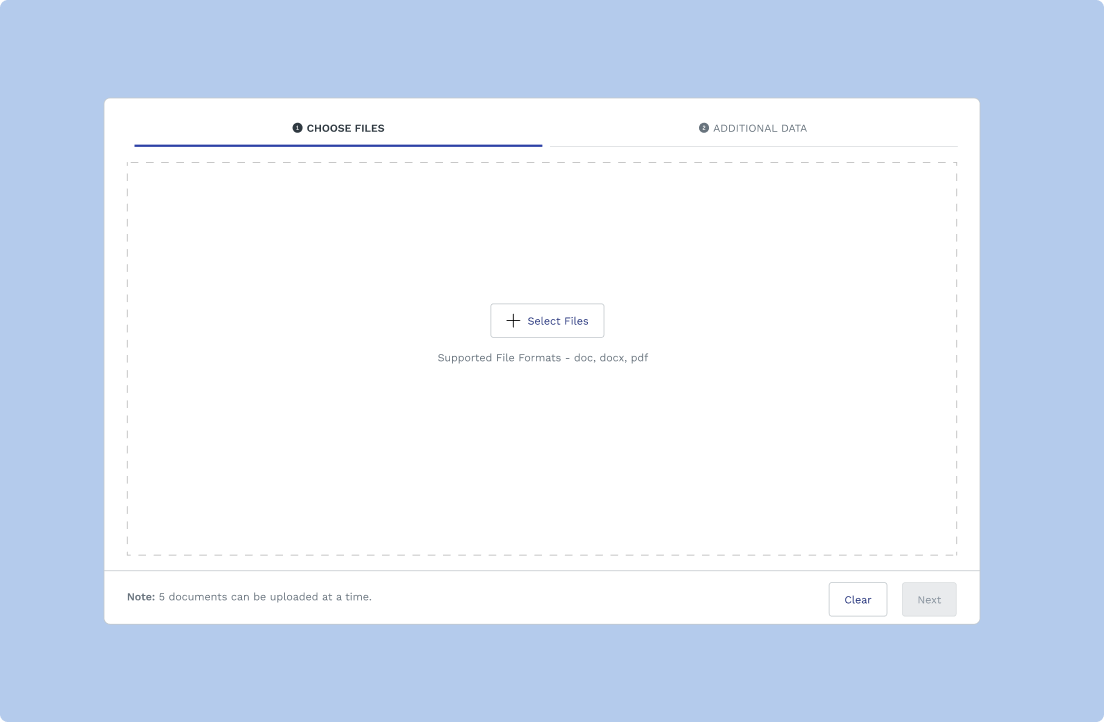
You can import all your contracts with a single click. The smart inventory has unlimited storage capacity, and you will never run out of space ever. Select one or even hundreds of agreements at once for importing into the system. There is also a drag-and-drop function to simplify the data import process.
#2 Smart highlight
The software pulls relevant details from the agreement and highlights them in a simple view. You no longer have to spend long hours finding the information you need.
#3 Easy search
You can look for anything and everything related to your contracts in the repository. It is possible through contract details, custom labels, tags, and much more. Even if you have a thousand contract agreements, locating that elusive one is possible without wasting time.
#4 Reminders and updates
System notifications and updates help you track renewal dates. You will never miss out on vital events that could directly impact your revenues. The system also delivers weekly and monthly reports to your inbox.
#5 Unmatched control
Conclusion
Contract storage is not just an IT responsibility. It is a core risk, compliance, and governance function. Contracts contain pricing models, IP rights, personal data, and regulatory obligations. When these documents live in unsecured or poorly structured systems, organizations expose themselves to data breaches, failed audits, litigation risk, and serious operational blind spots.
Modern contract storage must go beyond basic file hosting. It requires strong encryption, strict access controls, clear data residency safeguards, and defensible audit trails. Just as important, contracts must be easy to find, track, and manage throughout their lifecycle, especially during legal holds, audits, or regulatory reviews.
For CIOs and General Counsels, investing in secure, compliant contract storage is not about convenience. It is about protecting enforceability, ensuring compliance, and maintaining trust. The right storage strategy safeguards the business, its obligations, and its reputation, today and in the future.
What certifications should a secure contract repository have?
How do I secure legacy contracts that live in email or file shares?
What is the safest way to share a contract externally?
Related content
latest
A Complete guide to CLM Security Certifications
SOC 2, ISO 27001, FedRAMP — what do these certifications actually mean when vetting a CLM vendor? A plain-language CLM security certifications guide for in-house legal teams.




.png)
.png)
.avif)

.png)

